
ThinkEmailer.com includes everything you need to create, send and track professional HTML emails. It is fully-featured email marketing software which has been developed by marketing experts and includes the following useful features
Everything you need to design, automate, track and scale your email campaigns.
Beautiful, ready-made templates for every industry.
Upload campaigns or import directly from a webpage.
Templates tested across all major email clients.
Unlimited image uploads with free hosting included.
Preview emails before sending to ensure perfect display.
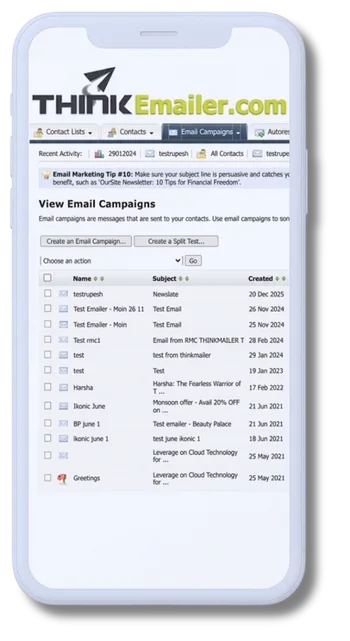
Edit text, images, and links with a simple editor.
See exactly how your email looks before delivery.
Add custom fields like name or company instantly.
Full HTML access via the source editor tab.
Automatically creates an RSS feed of sent emails.
Link sections within your email for easy navigation.
Everything you need to design, automate, track and scale your email campaigns.
Built-in spam analysis to improve inbox delivery.
Preview emails across major email clients.
Tips to improve subject lines and send timing.
Automatic removal of soft and hard bounces.
Upload and send files with your campaigns.
Send emails viewable even without internet.
Encourage sharing with built-in forward link.
Guaranteed duplicate-free contact lists.
Schedule emails or send instantly.
Send to multiple lists in one campaign.
Create HTML, plain text or multipart emails.
Control scheduled emails anytime.
Prevent automated signup form submissions.
One-click unsubscribe link with automatic processing.
Everything you need to design, automate, track and scale your email campaigns.
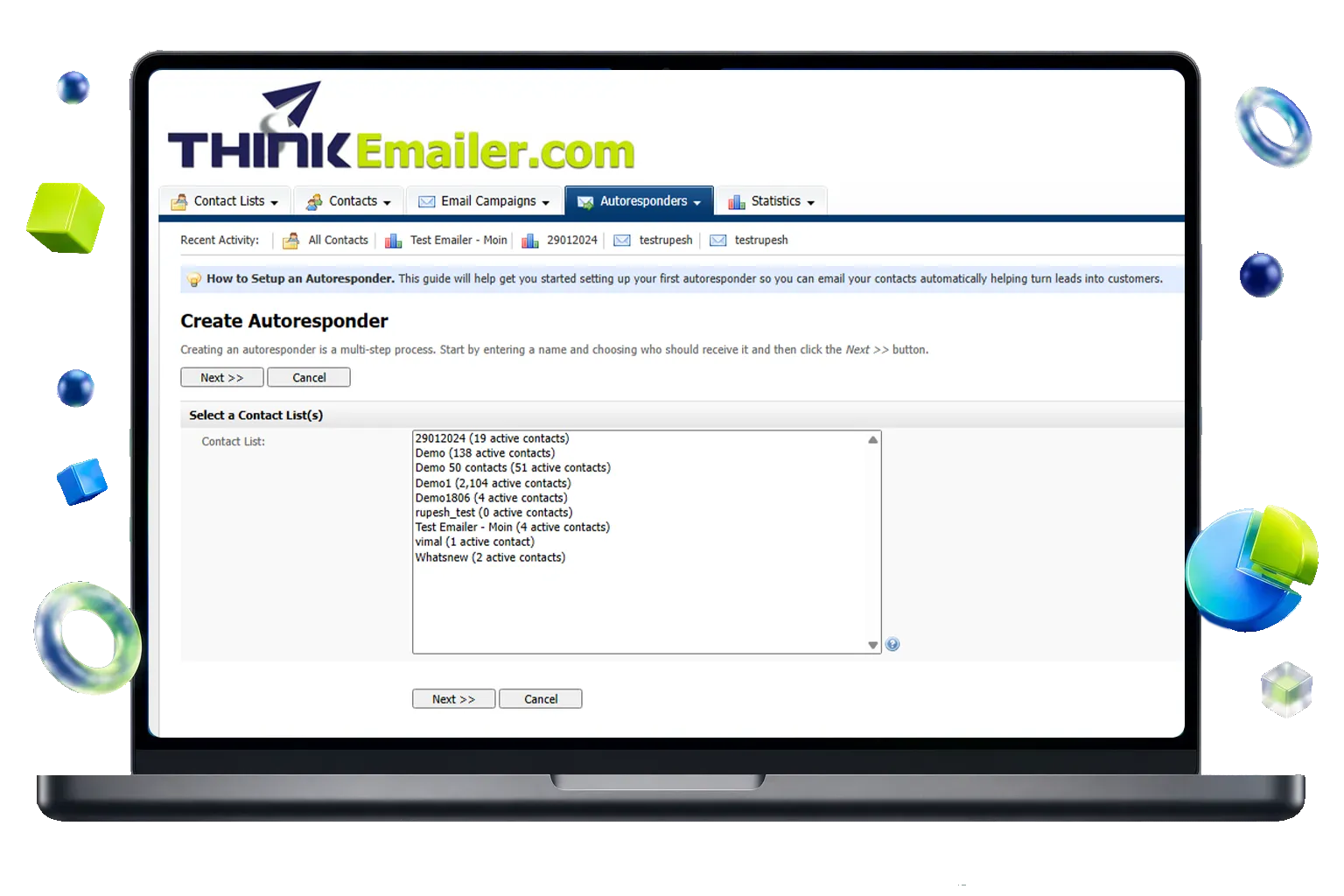
Automatically send emails after a set time (24 hours, 2 weeks, etc.). Create multiple sequential autoresponders for each contact list.
Send autoresponders to your full list or targeted segments using custom filters like location, company size, or signup source.
Create HTML, plain text, or multipart emails. Subscribers see the version their email client supports best.
Track opens, link clicks, unsubscribes, and bounce reports just like regular email campaigns.
Everything you need to design, automate, track and scale your email campaigns.
Discover which campaigns perform best using open and click-through rates. Test multiple variations, send the winner automatically, and go beyond basic A/B testing with unlimited variations.
Every email open and link click is automatically logged. View a complete history of emails received, links clicked, and engagement activity for each contact.
Log calls, meetings, and custom events for contacts. Set follow-up reminders and sync them automatically with Google Calendar when enabled.
Easily add follow-up reminders to your Google Calendar directly from contact records with a single click.
Automate follow-ups with date-based and behavior-based triggers. Send recurring emails, move contacts between lists, or add/remove them automatically based on events.
Everything you need to design, automate, track and scale your email campaigns.
See exactly who opened your email and when, with detailed reports, bar charts, and custom date filters.
Track which links were clicked, by who and when, so your sales team can follow up at the right time.
Automatically add tracking codes to links and monitor visits, goals, and e-commerce conversions.
Automatically manage bounces and view detailed reports showing when and why emails failed.
Monitor unsubscribe rates over time and view detailed reports for every campaign.
See how viral your email campaign is with full details of who forwarded it and when.
Everything you need to design, automate, track and scale your email campaigns.
Stay compliant with spam laws through automatic opt-ins, unsubscribe handling, and bounce cleaning.
Add contacts manually or import from Excel, Outlook, or CSV files.
Create branded signup forms that match your website design.
Store extra contact details and personalize campaigns like a mail merge.
Organize contacts into different lists while staying CAN-SPAM compliant.
Verify new subscribers automatically to keep your list clean.
Contacts can update their email, name, and preferences anytime.
Remove or unsubscribe large groups by email list or file upload.
Automatic unsubscribe links ensure compliance and subscriber trust.
Filter contacts by location, interests, and other attributes.
Suppress specific contacts to prevent emails under any circumstance.
Choose which contact details appear in grid view for quick access.
Everything you need to design, automate, track and scale your email campaigns.
Easily add a legal unsubscribe link to your emails. All requests are processed automatically for full compliance.
Soft and hard bounces are removed automatically. Export detailed bounce reports anytime.
Maintain a suppression list to ensure specific contacts never receive your emails.
Require subscribers to confirm via email to keep your list clean and compliant.
Automatically add your company details to every email to build trust and reduce spam complaints.
Everything you need to design, automate, track and scale your email campaigns.
Separate lists, contacts, and permissions for each user.
Control hourly, monthly, and total sending limits.
Limit or prevent new list creation per user.
Supports thousands of users and millions of emails.
Assign custom SMTP servers or use the default.
Upload private templates visible only to that user.
Users can update passwords and contact details.
Automatically converts campaign times per user.
View, print, and export personal email reports.
Complete guide with beginner-friendly instructions.
Access extensive knowledge base articles.
Manage autoresponders and scheduled tasks via browser.
Add a message to the home screen for all users (such as a "down for maintenance" message) from your web browser.
